Floating contact forms that capture leads
Drop a contact form anywhere on your site. Built-in email and phone validation, webhook forwarding, and a unified submissions inbox.
Live contact forms widget - go ahead and try it.
Why teams pick this
Custom fields
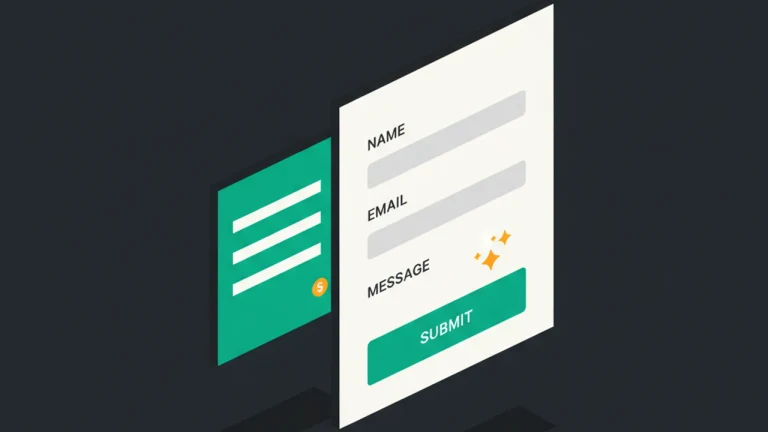
Add any text, email, phone, textarea, or select field. Set required validation per field - no code.
Built-in validation
Required, email format, and phone format checks happen client-side and server-side. Visitors see inline errors.
Webhook forwarding
POST every submission to Slack, Zapier, Make, or your own endpoint. Real-time lead delivery.
Submissions inbox
Every submission lives in your dashboard with the field data, page URL, country, and date. Export to CSV anytime.
How it works
Pick the Contact Form template
Choose the Contact Form template when creating a new floating message.
Configure fields
Add the fields you need (name, email, phone, custom). Mark which ones are required.
Connect a webhook
Optional: paste a Slack/Zapier/Make webhook URL to forward submissions automatically.
Built for these use cases
Use case 1
Lead capture
Trigger a contact form on your pricing page or after a 30-second delay to capture interested visitors.

Use case 2
Demo requests
Collect company name, email, and use case before scheduling a demo. Forward to your CRM via webhook.

Use case 3
Service inquiries
Let visitors describe their needs. Notes auto-flow into your dashboard inbox and Slack channel.
Frequently asked questions
Can I add custom fields?
Yes. Add any text, email, phone, textarea, or dropdown field. Mark each as required or optional.
Where do submissions go?
Every submission is stored in your FloatMessage dashboard under Submissions. You can also forward each one to a webhook.
Does it support GDPR / consent checkboxes?
Yes. Add a consent checkbox as a required field. Combine with the Cookie Banner template for full GDPR coverage.
Can I create a ticket from a submission?
Yes. Open any submission and click 'Create Ticket' to turn it into a tracked support ticket with status and notes.
Is there a Zapier integration?
Indirect - use the webhook URL on the form. Zapier, Make, and n8n all accept inbound webhooks. Same goes for Slack notifications.
Can I show different forms by URL, country, device, or schedule?
Yes. Every form inherits the same targeting layer as the rest of FloatMessage - URL pattern, country allow/block (geo-IP at the edge), device class (desktop/tablet/mobile), schedule window, visit count, and exit intent. Run a 'demo request' form only on /pricing, or a 'support inquiry' form only after-hours, or both.
Can the form auto-create a CRM contact or notify Slack on every submission?
Yes. Add a webhook URL on the form and FloatMessage POSTs every submission as JSON - wire it to Slack, Zapier, Make, n8n, HubSpot, Pipedrive, or your own endpoint. Field-level mapping lives in the destination app.
Does the contact form work on mobile and across all platforms?
Yes. Forms render in a Shadow DOM so your site CSS can never break them, and they're fully responsive - single-column on phones, multi-column on tablets and desktop. Works on WordPress, Shopify, Webflow, Wix, Squarespace, Ghost, Next.js, and plain HTML.
Try contact forms free for 30 days
No credit card required. Full access to every feature.
Start Free 30-Day TrialRelated features
Forms & Feedback
Surveys
Run NPS, ratings, and multi-question surveys on your website. No code. Embed surveys as floating messages and aggregate responses with charts.
Live Chat & AI
Live Chat
Add a live chat widget to your website in minutes. Real-time visitor messaging, AI auto-replies, proactive triggers, and ticketing - all in one tool.
Floating Messages
Popup Builder
Build website popups with 17 pre-made templates. Drag-and-drop editor, smart triggers, scheduling, and a one-line embed script. No code required.
Smart Targeting
Geo Targeting
Show different popups to visitors from different countries. Localize offers, comply with regional laws, and personalize messaging - no code required.
Smart Targeting
Scheduling
Schedule website popups by day of week, time of day, or date range. Run flash sales, off-hours messages, and time-sensitive promotions automatically.