Schedule popups by day, time, or date range
Run flash sales between 9-11 AM. Show off-hours support messages on weekends. Launch a Black Friday banner from Nov 24 to Dec 1. Automated, no code.
Live scheduling widget - go ahead and try it.
Why teams pick this
Day-of-week targeting
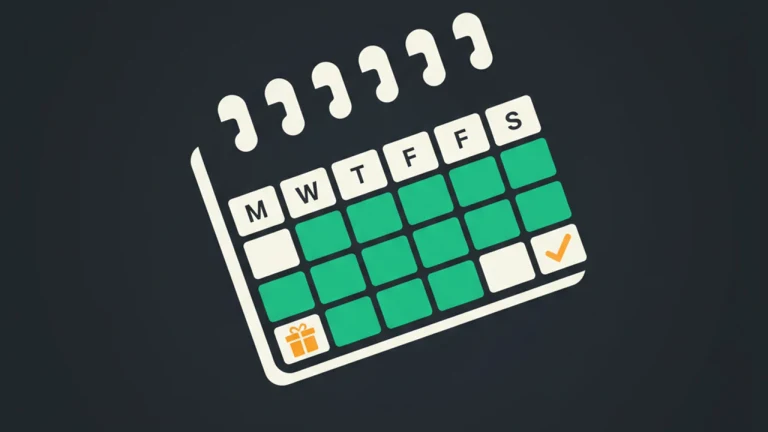
Show messages only on selected days (Mon-Fri, weekends only, etc.). Per-message setting.
Time-of-day windows
Show during business hours, lunch hour, or any custom window. Uses the visitor's local time.
Date ranges
Set start and end dates for time-bound campaigns. Perfect for flash sales and seasonal promotions.
Auto on / auto off
FloatMessage automatically activates and deactivates messages based on the schedule. Set it and forget it.
How it works
Open Display Settings
Edit any message, switch to the Display Settings tab, and find the Scheduling section.
Pick days, times, or dates
Select days of the week, set a time window, or pick a date range. Combine all three if needed.
Save
FloatMessage handles the rest. Visitors only see the message during the scheduled window.
Built for these use cases

Use case 1
Flash sales
Run a 2-hour flash sale every Friday. Set time window 14:00-16:00 and days = Friday only.

Use case 2
Off-hours messaging
Show a 'We're closed, leave a message' banner outside business hours. Show your normal CTA during the day.
Use case 3
Holiday campaigns
Black Friday banner from Nov 24 to Dec 1. Christmas wishes from Dec 20 to Dec 26. Auto-launch, auto-end.
Frequently asked questions
Whose timezone is used - mine or the visitor's?
The visitor's local time. So a 9-11 AM time window means 9-11 AM wherever each visitor is.
Can I combine day, time, and date range?
Yes. All three rules apply together. For example: weekdays only + 9-17 + from Nov 1 to Dec 31.
Can I schedule in advance?
Yes. Create the message now, set the start date in the future, and FloatMessage activates it on that date automatically.
Does scheduling work with the AI chat agent?
Yes - the chat widget itself has the same scheduling rules. Show your live chat only during business hours.
Is this free?
Yes. Scheduling is built into every plan, including the free 30-day trial.
Does scheduling work for live chat, AI auto-reply, and push notifications too?
Yes. The same day/time/date-range scheduler controls every message type: live-chat widget visibility, AI auto-reply on/off windows (e.g. AI takes over after 6pm), popups, surveys, contact forms, exit intent, and push broadcasts. One scheduling primitive, applied everywhere.
Can I combine scheduling with geo and device targeting?
Yes. Stack rules - 'weekend-only flash sale, US + Canada, mobile only, between Nov 28 and Nov 30' is a single configuration. Every rule must pass for the message to render, so you can run very surgical campaigns with no scripting.
What happens during daylight-saving transitions?
Schedule windows are evaluated against each visitor's local browser time, so DST is handled automatically - a '9-11 AM' window means '9-11 AM in the visitor's timezone' before and after the clock change. Date ranges follow the same rule, so a campaign ending 'Nov 30 23:59' ends at 23:59 wherever the visitor is.
Try scheduling free for 30 days
No credit card required. Full access to every feature.
Start Free 30-Day TrialRelated features
Smart Targeting
Geo Targeting
Show different popups to visitors from different countries. Localize offers, comply with regional laws, and personalize messaging - no code required.
Smart Targeting
Device Targeting
Show floating messages and live chat only on the devices you choose. Target desktop, tablet, or mobile visitors - no code, no separate audiences.
Smart Targeting
Exit Intent
Catch visitors before they leave with exit-intent popups. Reduce cart abandonment, recover bounces, and grow your email list - no code required.
Floating Messages
Popup Builder
Build website popups with 17 pre-made templates. Drag-and-drop editor, smart triggers, scheduling, and a one-line embed script. No code required.
Live Chat & AI
Live Chat
Add live chat to your website with an optional smart auto-reply that answers visitor questions 24/7 from your own knowledge base. Human takeover is automatic.