Exit-intent popups that recover lost visitors
Detect when a visitor is about to leave and show a last-chance offer, newsletter signup, or contact form. Reduce bounce rate and recover abandoned carts.
Live exit intent widget - go ahead and try it.
Why teams pick this
Mouse-leave detection
Detect when the cursor moves toward the browser tab - a strong signal the visitor is about to bounce.
Any template
Show any of the 17 templates on exit intent: discount modals, newsletter forms, surveys, or chat prompts.
Combine with targeting
Trigger only on cart pages, only for first-time visitors, only on certain countries - stack rules for surgical precision.
Smart dismissal
Choose how often to show after dismissal: never again, after a session, after N hours. Stop annoying loyal visitors.
How it works
Create your popup
Pick a template (modal, blur overlay, or center modal work best for exit intent).
Set trigger to Exit Intent
In display settings, change the trigger to 'Exit Intent'. That's it - no thresholds to configure.
Add targeting (optional)
Restrict to specific URLs, countries, or schedules. Or run it everywhere.
Built for these use cases
Use case 1
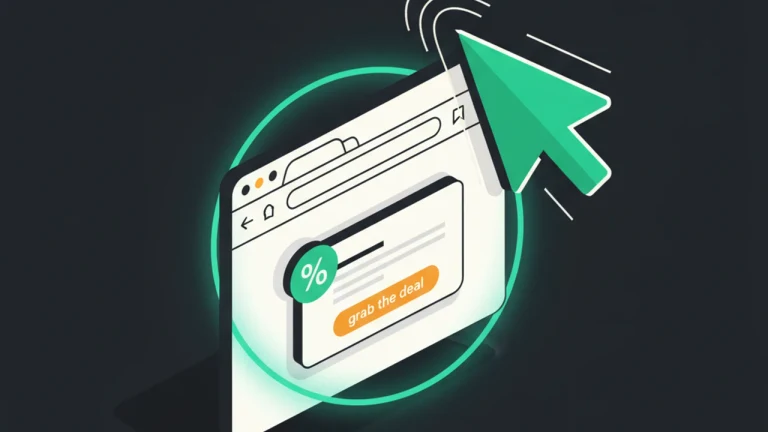
Cart abandonment recovery
Show a 10% discount when shoppers try to leave the checkout page. Recover sales that would otherwise be lost.
Use case 2
Newsletter signup
Offer a lead magnet to visitors leaving without converting. 3-5% of bounces become subscribers with a good offer.
Use case 3
Feedback surveys
Ask why visitors are leaving with a 1-question NPS or short text survey. Learn what's broken and fix it.
Frequently asked questions
How does exit intent detection work?
FloatMessage listens for mouseout events at the top of the browser. When the cursor leaves through the top edge, it fires the trigger.
Does it work on mobile?
Mouse-based exit intent only works on desktop. For mobile, combine scroll triggers and time delays for similar effect.
Will the same visitor see the popup every time?
Up to you. Set dismiss behavior to 'session', 'permanent', or 'show again after N hours'.
Can I show different exit popups on different pages?
Yes. Create multiple messages and use URL targeting to control which pages show which popup.
Will it slow my site down?
No. The embed script is under 30 KB and loads asynchronously. Cloudflare-cached and globally distributed.
Do exit-intent popups work on touch devices like iPhones and Android phones?
Mouse-leave doesn't exist on touch, so on mobile FloatMessage falls back to a heuristic: sustained scroll-up after the visitor has scrolled deep into the page, plus an idle window. You can also pair the exit-intent popup with a delay or scroll trigger so mobile visitors still see the offer at the right moment.
Can I target an exit popup by country, device, or only on the cart page?
Yes. Stack URL targeting (e.g. /checkout/* or /cart/*) with country allow/block (geo-IP at the edge), device class, and schedule windows. A single rule like 'mobile checkout abandoners in the US between 6pm-11pm' is one line of configuration.
Can the exit popup auto-suggest a discount code or trigger a chat agent?
Yes. Bring your own AI key and the exit popup can swap in a context-aware offer (different copy per page or product), or open a live chat panel pre-seeded with the visitor's last action so an agent can recover the cart manually.
Try exit intent free for 30 days
No credit card required. Full access to every feature.
Start Free 30-Day TrialRelated features
Floating Messages
Popup Builder
Build website popups with 17 pre-made templates. Drag-and-drop editor, smart triggers, scheduling, and a one-line embed script. No code required.
Smart Targeting
Scheduling
Schedule website popups by day of week, time of day, or date range. Run flash sales, off-hours messages, and time-sensitive promotions automatically.
Smart Targeting
Geo Targeting
Show different popups to visitors from different countries. Localize offers, comply with regional laws, and personalize messaging - no code required.
Smart Targeting
Device Targeting
Show floating messages and live chat only on the devices you choose. Target desktop, tablet, or mobile visitors - no code, no separate audiences.
Live Chat & AI
Live Chat
Add live chat to your website with an optional smart auto-reply that answers visitor questions 24/7 from your own knowledge base. Human takeover is automatic.