You already wrote your website. It's on Google.
Millions of businesses show up on Google Maps and nowhere else. Paste your listing and we turn the details you already keep there into a real website, with booking, chat and a contact form already on it.
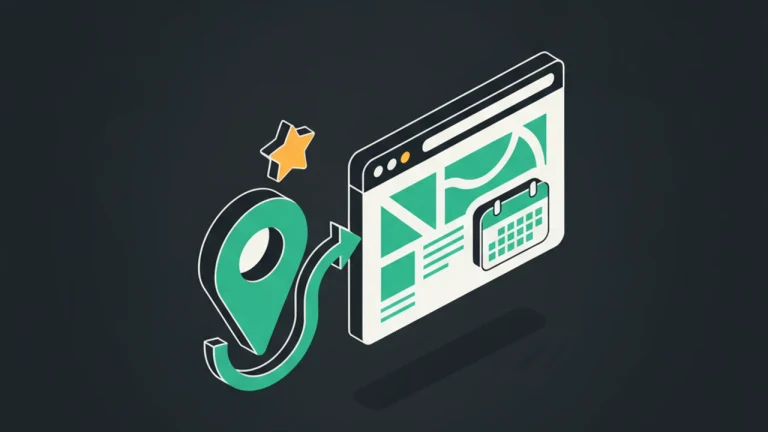
Why teams pick this
Nothing to type
Your name, address, phone, opening hours, rating and review count come straight off your listing. The page is written around your real details, not a blank template.
Nothing to connect
Paste a public Google Maps link. There is no Google sign-in, no OAuth screen, no permissions to grant, and nothing is ever written back to your listing.
Booking that knows your hours
Your Google opening hours arrive already filled into the booking widget. Confirm the timezone and customers can reserve a slot the moment your page is live.
A contact form Google can point at
Google has no contact-form field of its own. Put the form on your page, point your profile's Website link at it, and enquiries land in your inbox.
Answers when you are closed
Chat with AI auto-reply that knows your hours, address and services, so the 11pm question about parking gets answered without you.
Your rating, working for you
Show your stars and review count as social proof, and send happy customers back to Google to leave the next one.
No snippet to paste
We host the page, so the widget is already on it. Switch something on in your dashboard and it is live on your page moments later. No developer, no plugin.
A real address with HTTPS
Your page goes live on a branded subdomain with SSL, indexable and ready to put on cards, in your profile, and anywhere else you list the business.
How it works
Copy your Google link
Open your business on Google Maps, tap Share, then Copy link. Both the short maps.app.goo.gl form and the full URL work.
Check it's you
We look up the public details on your listing and show them back: name, category, rating and address. Confirm it's your business and carry on.
We build the page
Your details become a real website, written and designed around them. Add a sentence in your own words about what makes you different, then publish.
Point Google at it
Your dashboard hands you the exact URLs to paste into your profile's Website and Bookings fields, so customers arriving from Google land somewhere they can act.
Built for these use cases
Use case 1
A salon taking bookings instead of calls
Opening hours import from the listing, the booking widget opens straight from the profile's Book button, and every reservation lands in the dashboard rather than in a missed voicemail.

Use case 2
A cafe answering the same three questions
Are you open now, do you have oat milk, is there parking. Chat answers from the details already on the listing, around the clock.
Use case 3
A trade business with no site at all
The page becomes the website: a contact form for quotes, a tappable phone number, and a Google-facing link that finally goes somewhere.

Use case 4
A restaurant turning a good rating into bookings
Put 4.7 stars from 300 reviews where visitors see it, and ask the people who just booked to leave the next review.
Frequently asked questions
Can I put a contact form inside my Google Business Profile?
No. Google has no contact-form field, and the in-profile chat that let customers message businesses was shut down on 31 July 2024. What a profile can do is send customers to a page you own. So you put the form on your page and point your profile's Website link at it - that is the working version, and it is what this feature sets up.
Do I need to connect or verify anything with Google?
No. You paste a public Google Maps link and we read the same details any visitor browsing Google can see. There is no account connection, no OAuth, and no access to your Google login. Nothing is written back to your listing.
What exactly gets imported?
Your business name, address, phone number, website link, opening hours, category, rating, review count, price level and Google's own description. Recent reviews and amenities are used to ground the AI-written copy in real facts. Photos are not imported - images on your page are generated for you, and you can replace any of them.
I already have a website. Is this still useful?
Yes, though the pitch is different. You can keep your site and use the booking, chat, forms and review capture on it via the one-line embed. The import is then just a fast way to prefill your details and get tool recommendations that match your business.
What if my hours or details change on Google?
Your page does not silently follow your listing. Edit it any time from the dashboard, or paste your listing link again to pull fresh details. Pages you have already published stay exactly as they are until you change them.
How does the booking link know to open the booking widget?
The URL your dashboard gives you for the Bookings field carries a parameter that opens your booking widget as the page loads. Someone who tapped Book on Google gets a calendar, not a homepage to search through.
Is the timezone on my booking widget correct?
We estimate it from your location's UTC offset, which does not account for daylight saving. Confirm it once in the booking editor and it stays set. Your weekly hours come across from Google exactly as listed.
My business closes for lunch. Will that import?
Only the first opening window of each day is imported, so a split-hours business should add the second window by hand in the booking editor. Everything else comes across as listed.
How do I get a QR code for my Google reviews?
Paste your Maps link at /review-qr-code and download one. It opens Google's review form for your listing directly, so nobody has to search for you. There are five formats - a counter card, a table tent, a window sign, a square for social, and the bare code as SVG for your own artwork - and printing them is free, with no signup and no watermark.
Can I see how many people scan my review QR code?
Yes, with an account. Turning on scan counting routes the code through a floatmessage.com link that forwards straight to Google, and the dashboard shows scans per day. It is optional - the default code points at Google with nothing in between - and once created the link keeps working whatever happens to your subscription, because by then it is printed on things in your shop.
What does it cost?
Free for 30 days, no credit card. After that the Pro plan covers your page, booking, chat, forms, surveys and everything else for $10/month.
Try google business profile free for 30 days
No credit card required. Full access to every feature.
Find my business on GoogleRelated features
Landing Pages
Landing pages + every engagement tool
Describe your business in a sentence. FloatMessage generates a polished landing page on a branded subdomain - and you get live chat, popups, contact forms, appointment booking, and surveys built in. One product. One trial. Free for 30 days.
Forms & Feedback
Book Appointments
Let visitors pick a slot from your calendar without leaving the page. Bookings sync to your dashboard, confirmations send automatically with .ics + Google/Outlook deep links.
Forms & Feedback
Contact Forms
Add a popup contact form to any website. Built-in validation, webhook forwarding to Slack/Zapier, and a submissions inbox in your dashboard.
Live Chat & AI
Live Chat
Add a live chat widget to your website in minutes. Real-time visitor messaging, AI auto-replies, proactive triggers, and ticketing - all in one tool.
Live Chat & AI
Live Chat
Add live chat to your website with an optional smart auto-reply that answers visitor questions 24/7 from your own knowledge base. Human takeover is automatic.
Floating Messages
Popup Builder
Build website popups with 17 pre-made templates. Drag-and-drop editor, smart triggers, scheduling, and a one-line embed script. No code required.