Optimizing Message Timing & Triggers
The best message shown at the wrong time gets ignored. Timing is everything - show too early and visitors dismiss it before reading, show too late and they've already left. This guide covers how to use FloatMessage's trigger options to find the right moment.
Understand the four triggers
FloatMessage offers four trigger types, each suited to different situations:
Immediately
Shows the message as soon as the page loads. Use for urgent, high-priority messages that every visitor should see - site-wide announcements, cookie notices, or time-sensitive offers.
Delay
Shows after a set number of seconds. Lets visitors settle into your content before interrupting. A 5–10 second delay is a sweet spot for most use cases.
Scroll
Shows when the visitor scrolls a certain percentage down the page. Great for blog posts and long-form content - it proves the visitor is engaged before showing the message.
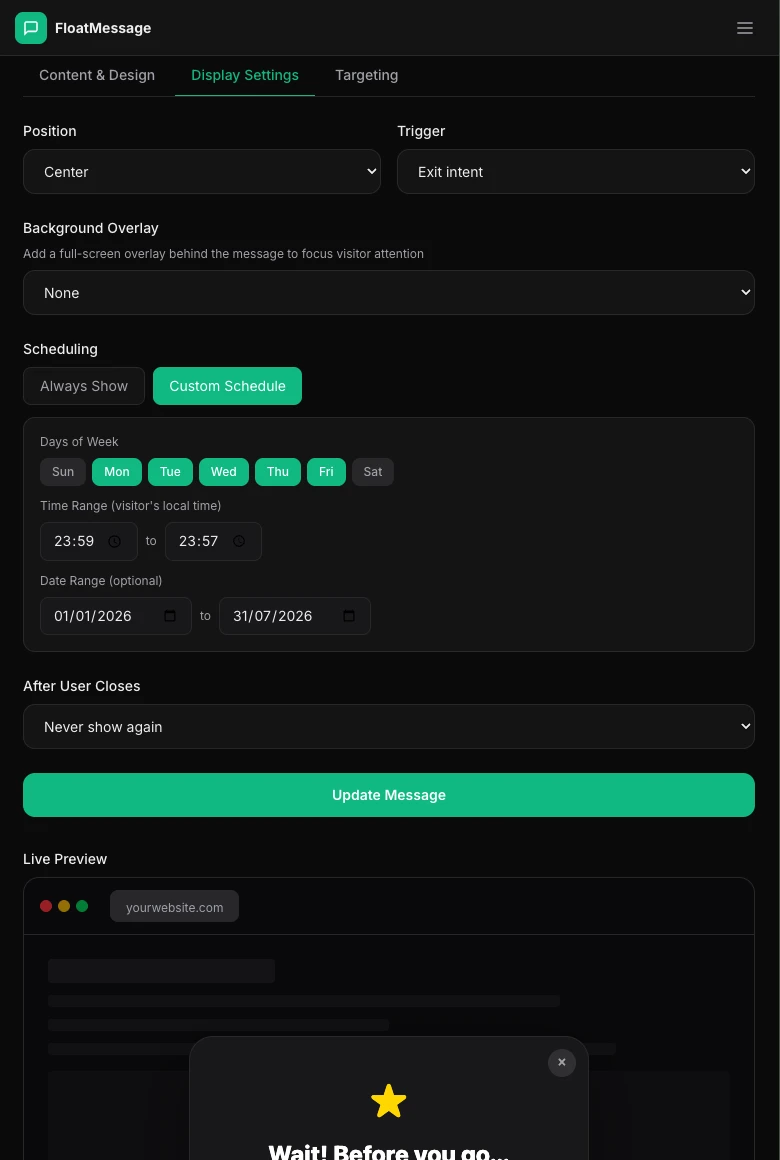
Exit Intent
Shows when the visitor moves their mouse toward the browser's top edge (close button / address bar). Your last chance to convert - use for your strongest offer.
Match triggers to your goals
| Goal | Trigger | Why |
|---|---|---|
| Welcome new visitors | Immediately | First impression matters |
| Promote a sale | Delay (5s) | Let the page load, then grab attention |
| Newsletter signup on blog | Scroll (50%) | They're reading - they're interested |
| Reduce bounce rate | Exit Intent | Last-chance conversion opportunity |
| Cookie consent | Immediately | Legal requirement, show right away |
Avoid common timing mistakes
Too many messages at once
If you have multiple messages set to "Immediately", they can stack and overwhelm visitors. Stagger them using different triggers - one immediate, one on scroll, one on exit.
Showing before the page is ready
Immediate triggers fire as soon as the script loads. If visitors see a popup before the page content, it feels aggressive. Use a small delay (2-3 seconds) instead.
Wrong dismiss behavior
If your message reappears every page load ("Always" dismiss), it annoys returning visitors. Use "Session" for temporary promos or "Never show again" for one-time messages.
Combine triggers with scheduling
For maximum precision, combine triggers with scheduling:
- Weekday lunch promos - Delay trigger + scheduled Mon–Fri 11:00–14:00
- Weekend sale banner - Immediate trigger + scheduled Sat–Sun only
- Exit-intent during a sale - Exit intent trigger + scheduled for your sale date range