Choosing the Right Template
FloatMessage offers 10+ templates, each designed for a different use case. Picking the right one can make the difference between a message visitors engage with and one they immediately dismiss. Here's a breakdown of every template and when to use it.
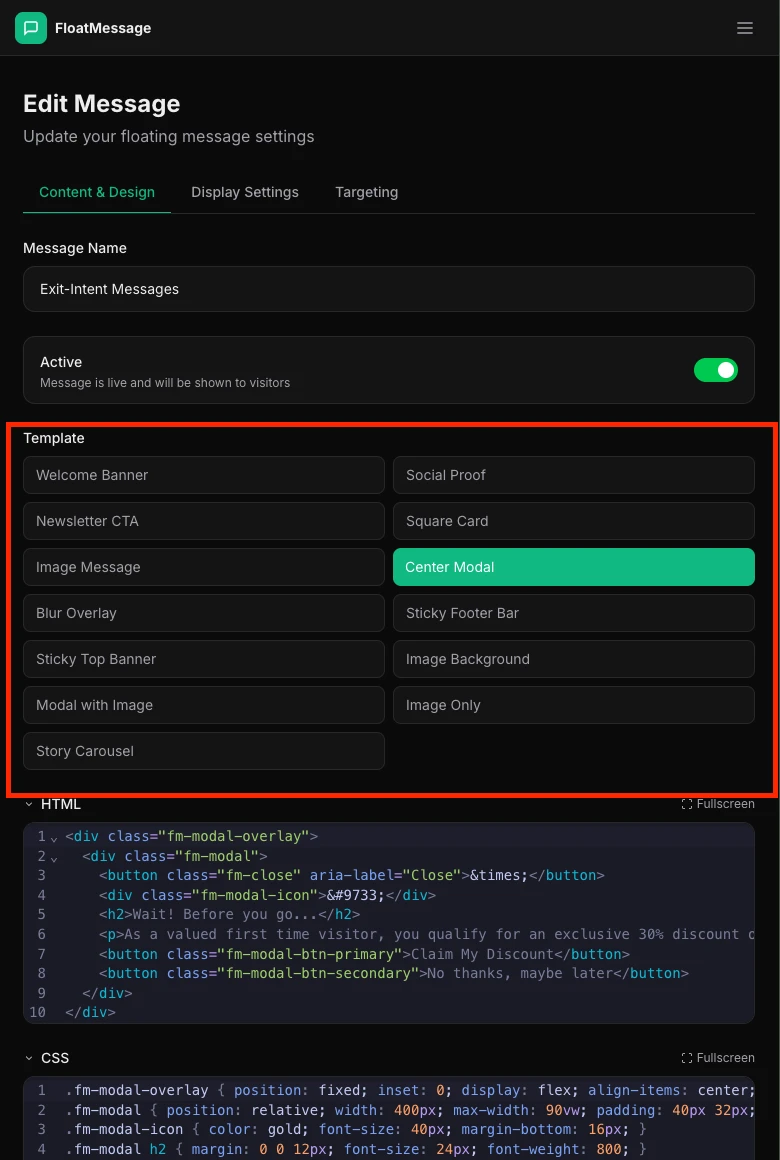
High-visibility announcements
Welcome Banner
A floating banner that slides in from the corner. Best for greetings, general announcements, and first-time visitor messages. Non-intrusive but noticeable.
Best for: welcome messages, announcements, soft CTAs
Sticky Top Banner
A thin bar that sticks to the top of the page. Always visible without taking up much space. Great for site-wide notices.
Best for: sales banners, shipping notices, site-wide alerts
Modal with Image
A centered popup with an image area. Commands full attention - use sparingly. Pair with a dark or blur background overlay.
Best for: exit-intent offers, major announcements, product launches
Lead capture & conversions
Newsletter CTA
Designed to capture email signups. Includes a clear call-to-action button. Works well on blog pages or content-heavy sites.
Best for: email list building, content upgrades, lead magnets
Coupon Card
A card-style message perfect for sharing discount codes. The layout emphasizes the offer and makes the code easy to copy.
Best for: discount codes, limited-time offers, cart abandonment
Visual & media-rich messages
Image Message
A simple floating image with optional text. Great when you want to show a product photo, graphic, or visual element.
Best for: product highlights, visual promotions, brand imagery
Image Background
Text and CTA overlaid on a full background image. High visual impact for image-driven brands.
Best for: lifestyle brands, event promotions, visual storytelling
Story Carousel
Multi-slide stories with auto-advance, similar to Instagram stories. Each slide can have its own image, text, and CTA button. Available in small, medium, and large sizes.
Best for: product tours, feature showcases, onboarding sequences, multi-step promotions
Trust & compliance
Social Proof
A small notification-style message that mimics social proof alerts - "12 people bought this today". Builds trust and urgency.
Best for: e-commerce, SaaS signups, event registrations
Cookie Banner
A full-width consent bar with accept and decline buttons. Use with the fm-cta class and FloatMessage.on("cta:click") to load Google Tag Manager or other scripts after consent.
Best for: GDPR compliance, cookie consent, loading analytics after approval
Book Appointment
An inline calendar grid + slot picker. Visitors pick a free slot, fill in their details, and get a confirmation email with an attached .ics file plus Google / Outlook add-to-calendar buttons. Owners see all bookings in Dashboard → Appointments.
Best for: consultations, coaching, salons, tutoring, freelance services, demos
Quick reference table
| Use Case | Recommended Template |
|---|---|
| Welcome new visitors | Welcome Banner |
| Sale / promotion | Sticky Top Banner or Coupon Card |
| Exit-intent offer | Modal with Image |
| Email signup | Newsletter CTA |
| Product showcase | Story Carousel or Image Background |
| Social proof / urgency | Social Proof |
| Cookie / privacy consent | Cookie Banner |
| Onboarding / feature tour | Story Carousel |
| Lead capture / contact | Contact Form |
| Customer feedback / NPS | Survey |
| Self-service appointment booking | Book Appointment |